GE IC755CSS10CDA-AA QuickPanel+ 10-Inch View and Control HMI
GEQUICKPANEL+
Touchscreen visualization and control
GE IC755CSS10CDA-AA QuickPanel+ 10-Inch View and Control HMI
A 10-inch operator panel with embedded control runtime.
Product facts
Product Overview
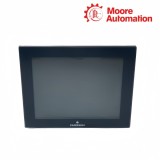
IC755CSS10CDA-AA is a QuickPanel+ ten-inch operator interface with View and Control functionality. It combines a color TFT display, projected-capacitive touch input and an embedded controller platform in one panel-mounted device.
The 800 × 600 display on IC755CSS10CDA-AA presents machine graphics and operator controls, while the ARM Cortex-A8 processor runs the configured visualization and control application. Nonvolatile storage, DDR3 memory and battery-backed SRAM separate application files, runtime workspace and retained data.
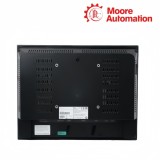
Ethernet, serial, USB and SD interfaces on IC755CSS10CDA-AA connect the panel to controllers, service tools and removable media. The panel operates from a 12/24 V DC source and uses a gasketed front assembly for cabinet mounting.
Reference values
Technical Specifications
Brand
GE
Model
IC755CSS10CDA-AA
Product Name
QuickPanel+ 10-Inch View and Control HMI
Country
Not specified
Series
QuickPanel+
Display Size
10.4 inches
Display Type
Color TFT LCD
Resolution
800 × 600 pixels
Touch Technology
Projected capacitive multi-touch
Processor
1 GHz ARM Cortex-A8
Operating System
Windows Embedded Compact 7
Memory
DDR3 RAM, SLC NAND flash and battery-backed SRAM
Ethernet
10/100Base-T interface
Serial Interface
RS-232 and RS-485
USB
Host and device connections
Removable Storage
SD/SDHC card slot
Supply
12/24 V DC
External Dimensions
Approximately 278 × 222 × 65 mm
Weight
Approximately 2.4 kg
Product behavior
Monitoring and Control
IC755CSS10CDA-AA presents process information and operator commands through one touch-driven runtime.
VISUALIZATION
Turn controller data into operator context
Graphics bind live tags to values, colors, trends and alarm objects so operating state is visible without reading raw registers.
TOUCH INPUT
Convert gestures into defined commands
Projected-capacitive input supports direct selection and multi-touch interaction while the application determines which controls are enabled.
EMBEDDED CONTROL
Run configured logic beside the display
View and Control models can execute panel-side control functions while maintaining their communication path to external devices.
System context
Communication and Connectivity
IC755CSS10CDA-AA uses separate ports for plant networks, serial devices, service access and removable storage.
ETHERNET
Link controllers and engineering systems
The copper Ethernet interface carries the configured industrial and application services across the plant network.
SERIAL
Connect installed field equipment
RS-232 and RS-485 support devices whose physical layer and protocol settings match the panel project.
USB AND SD
Handle service and removable data
USB host/device connections and the SD slot provide distinct paths for peripherals, project transfer and approved storage workflows.
Practical checks
Frequently Asked Questions
Why can IC755CSS10CDA-AA touch points appear offset?
On IC755CSS10CDA-AA, inspect the front surface, confirm the correct panel project and review touch calibration or application scaling before changing graphics.
Can an IC755CSS10CDA-AA serial device be moved to Ethernet without project changes?
No. IC755CSS10CDA-AA physical ports, protocol driver, addressing and tag configuration must all match the new communication path.
What should be saved before updating IC755CSS10CDA-AA?
Save the complete IC755CSS10CDA-AA project, communication settings, retained-data plan, licenses and removable-media contents before an update.
Which information belongs in an IC755CSS10CDA-AA enquiry?
Provide IC755CSS10CDA-AA, screen size, suffix, application role, power input, required ports, quantity and destination.
Why does IC755CSS10CDA-AA show graphics but no live values?
For IC755CSS10CDA-AA, check the controller link, protocol driver, device address, tag mapping and application runtime separately from the display itself.
How should power loss be investigated on IC755CSS10CDA-AA?
For IC755CSS10CDA-AA, record supply voltage at the terminals, startup LEDs, application state and any retained-data or storage alarms.
Moore Automation combines multi-brand automation coverage with a named sales contact and structured enquiry records. For IC755CSS10CDA-AA, the ten-inch View and Control identity, quantity, destination, available records and packing requirements can be followed without shortening the model.
Disclaimer: Moore Automation Limited is an independent reseller and is not an authorized distributor or representative of the manufacturers featured on this website. Product names and trademarks belong to their respective owners.





No related record found