


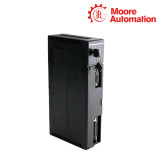
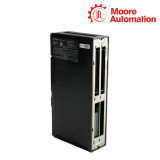


GE Fanuc IC655CPU500 Series Five CPU Module
The Series Five processor module with key-operated modes, memory-cartridge storage, serial communications and a battery-backed clock/calendar.
Function, System Position and Selection Boundary
IC655CPU500 installs immediately beside the power supply in the Series Five CPU base unit. It executes the Logicmaster 5 user program stored in the fitted memory cartridge and provides the timing, status and communications functions for the local system.
The front hardware includes a RUN/OIU/STOP keyswitch, status indicators, backup battery access, communications parameter switches and serial signals. Basic one-word ladder functions are documented at 0.5 microseconds; more complex functions require longer.
Technical Specifications
Processor role
Operator and service features
CPU Replacement Record
A usable spare needs more than the processor catalog number. Capture the memory-cartridge type and program, communications switch positions, register-memory configuration, operating mode and battery state.
Before removal
Back up program and parameters; photograph switches.
Hardware transfer
Use the correct cartridge and register configuration.
Restart
Initialize only according to the approved recovery procedure.
Installation and Acceptance Sequence
- Place the keyswitch in the approved safe state and save the application.
- Record memory cartridge, register capacity and communications DIP switches.
- Install the CPU in the slot adjacent to the power supply with power removed.
- Restore the program and verify all eight status indicators plus communications.
FAQ
Where must IC655CPU500 be installed?
It must be adjacent to the power supply in the Series Five CPU base unit.
What should be backed up before changing IC655CPU500?
Retain the Logicmaster 5 program, system parameters and the identity/content of the installed memory cartridge.
What do the modes on IC655CPU500 control?
RUN enables normal scanning and outputs, OIU supports operator-interface functions, and STOP halts the normal scan with outputs disabled.
Why should the communications switches on IC655CPU500 be photographed?
They define serial communications parameters; an incorrect setting can prevent programmer or CCM access after replacement.
Which indicators should be checked after installing IC655CPU500?
Review PWR, RUN, CPU, DIAG, BATT, MEM, I/O and COMM against the documented normal state.
Process and Machinery Monitoring
Business coverage also includes process control, online condition monitoring, machinery protection and portable vibration-analysis products.

No related record found